Weekly syncchain · 14Open ›
#launch RC on Thursday, not laterSend release notes draft to @JanaReminders · Wed
 BetaA private notebook for Mac, iPad and iPhone
Write as fast as on paper. Notewood knows your calendar and your Reminders, so every meeting gets its page, picks up where the last one ended, and stays on your own devices.
Apple Notes is fast but forgetful. A wiki remembers but needs a system. Notewood is the notebook that already knows your calendar and your Reminders.
⌥Space from any app on the Mac. A thought lands on today's page, a task goes straight to Reminders, and during a meeting it lands in that meeting's notes. Nothing to file.
Recurring meetings form a chain. Open tasks travel to the next page on their own, things you mark Next time are waiting, and last time's notes sit right below.
Search the way you remember: a person, a word, roughly when. ⌘K gives you the exact line with its meeting and date, not a pile of documents.
Click the meeting on today's page and start typing. Open tasks from earlier meetings of the chain are already there.
⇥ indents, @ a person, # a topic, ⌘↩ turns the line into a task in Reminders.
Select a line and press ⇧⌘→. It waits in the next meeting's prep, linked to where it came from.
Notewood works without recording anything. When you do want a recording, it is transcribed on your Mac, iPad or iPhone, and suggested tasks come from Apple's on-device model. Mark the important moment with one shortcut, review the suggestions later, keep what is right.
No assistant joins your meetings. You take notes, like you always did.
Recordings and full transcripts are never stored on our servers.
Cloud AI is opt-in per project or meeting. Local only is the default.
No emails, tickets or messages are sent automatically. You press send.
Everything that runs on your own devices is a one-time purchase, including on-device AI. A subscription is only for what costs us to run. Prices will be announced at launch.
One purchase for Mac, iPad and iPhone.
Optional. Notewood works fully without it.
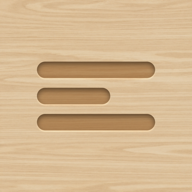
The icon is three lines carved into oak: the first lines of a page. Notewood is meant to feel like that desk. A place you write, that remembers for you, and that doesn't send your words anywhere you didn't ask it to.
Peter, maker of Notewood
Notewood is in beta for Mac, iPad and iPhone. Leave your email and we'll send you a TestFlight invite.